April 2026, Product Photos – Basic Stuff
Description automatically generated" >
April 2026, Product Photos – Basic Stuff
Dear Dru,
News about happenings at Deliberate Light and photography instruction (see Digital Photo Academy). My views on this month’s photography topic: Product Photos.
NEWS
Upcoming Workshops. I am next scheduled to teach workshops for Digital Photo Academy on June 6th, 2026 at Bartram’s Garden in Philadelphia. You can sign up here.
- Mastering Your Camera Controls (1.5 hours) – intended for DSLR/Mirrorless/Compact cameras (smartphone tutorial available separately)
- Composition in the Field (3 hours) – walking tour around the venue with instruction and hands-on practice composing photos (bring any camera)
New Photo.
Departing Weather. The Hudson River Valley is one of my favorite places on earth. The views from the bluffs above the river never fail to inspire. On this spring visit with cousins, the ominous and oppressive looking weather contrasted with the joy of seeing loved ones. The weather moved on, leaving the mist in the valley, and the very first colors of spring waking up on the hillside.
(Garrison, New York, 2026)
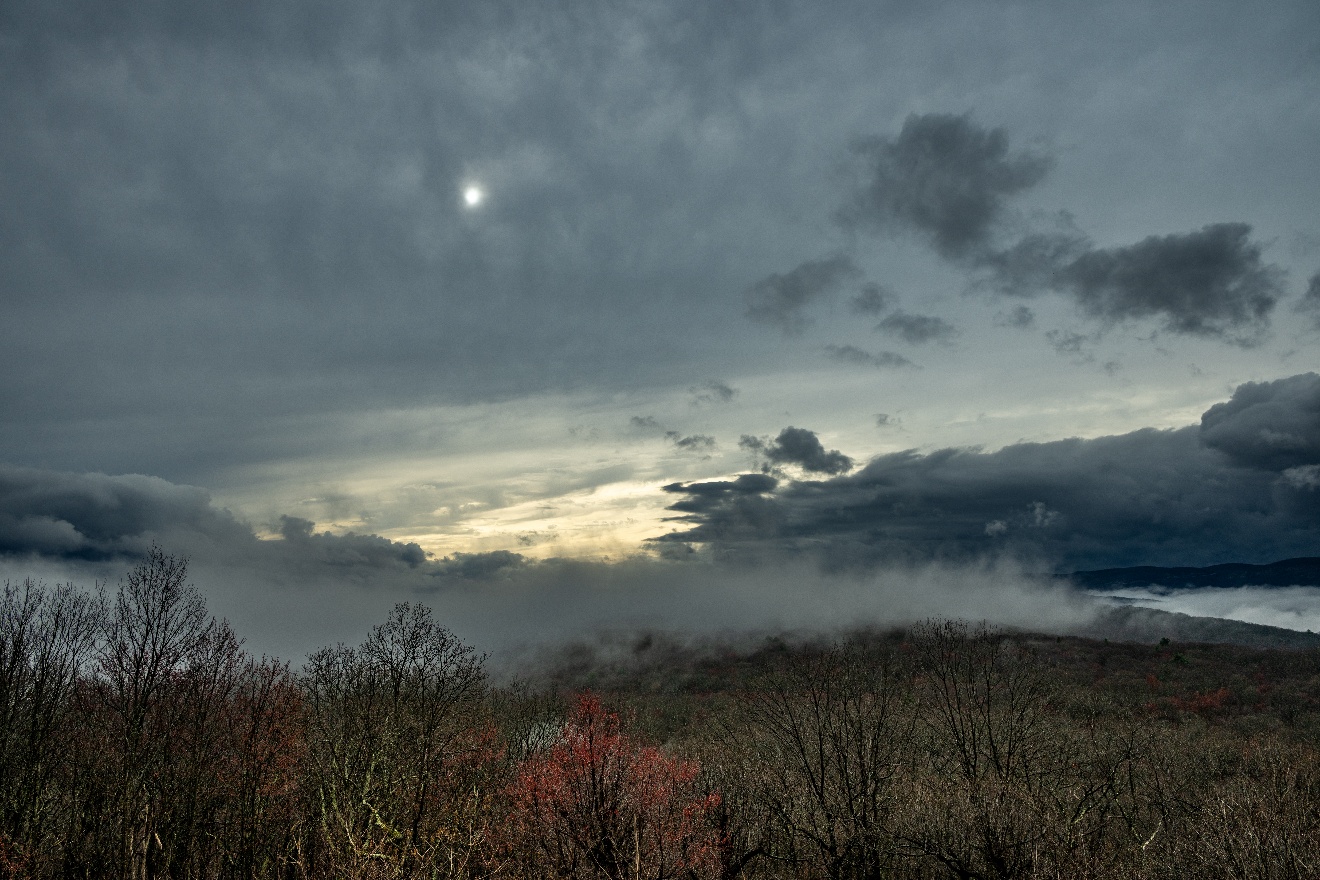
For a more detailed, enlarged view, see it on my website.
VIEWS
Product Photos – Basic Stuff
A cousin, Gabrielle Sanchez, makes fine jewelry and, while visiting her home and enjoying the view pictured above, she asked me to shoot a necklace she had made for including in a newsletter. I love what she makes – shameless plug here: go to https://gabriellesanchez.com/ even if it is just to enjoy the gorgeousness.
Anyway, I had my good camera with me, so I was happy to help out. You might find it helpful to read about a few of the decisions I/we made while shooting.
First things first. Because the day was overcast, the ambient light in the house through the windows was very diffuse. Perfect1 Light that is too bright tends to create harsh shadows and I wanted a soft look for this piece.
Next, I found a plain background without bright colors to put the piece in front of. I put the I want people to look at the jewelry, not the background. Gae made it easy for me by draping the necklace on a mannequin for a stylish look, and I set it on top of a small wooden box to get it up off the floor so the floor would not show.
I tend to shoot a little dark (to try to reduce blown out highlights) and wide (to allow me to crop later). So, the first image looks like this.
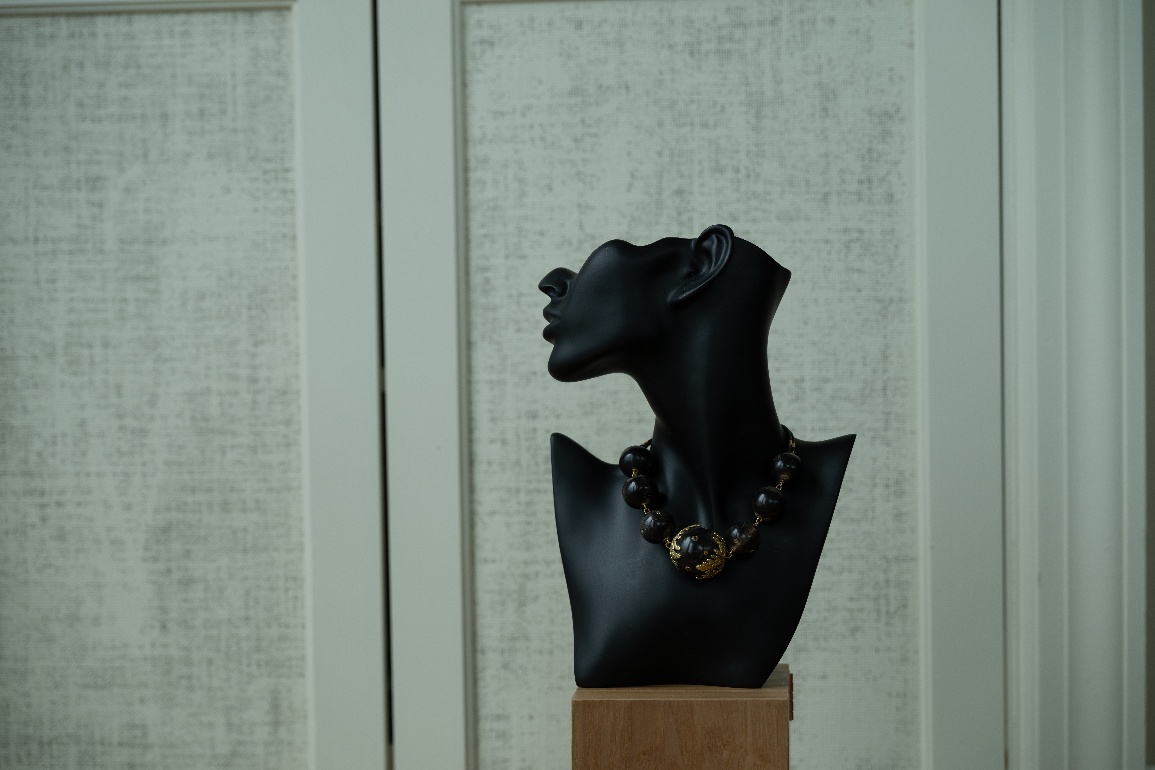
Since there was enough light, I was shooting hand-held so I was not surprised that the image is also a little crooked.
A small rotation and a few crops and some adjustments to lighten up the image and sharpen the contrast a bit and this is my first shot.
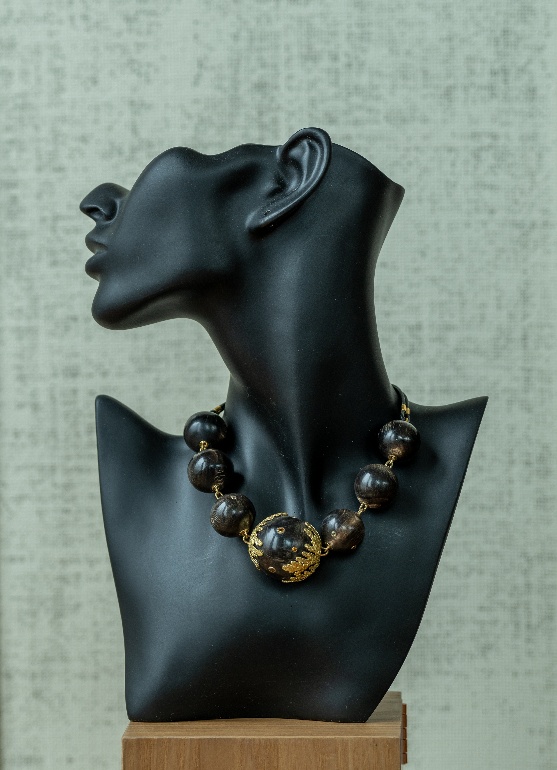
Not bad – interesting light – that diffuse outdoor light is coming from the left and front – and the necklace is pretty much what your eye is drawn to. But I am not liking the box and the plain background seems too plain. This mannequin and the necklace need a little (not too much!) interest in the background.
So, I put them on a tablecloth on a long table so the lines in the cloth would comprise the only background and make a cool converging background. I used a shallow depth-of-field to blur the cloth lines farther behind the mannequin, blurring a background being a way to de-emphasize it so the subject is the focus of attention.
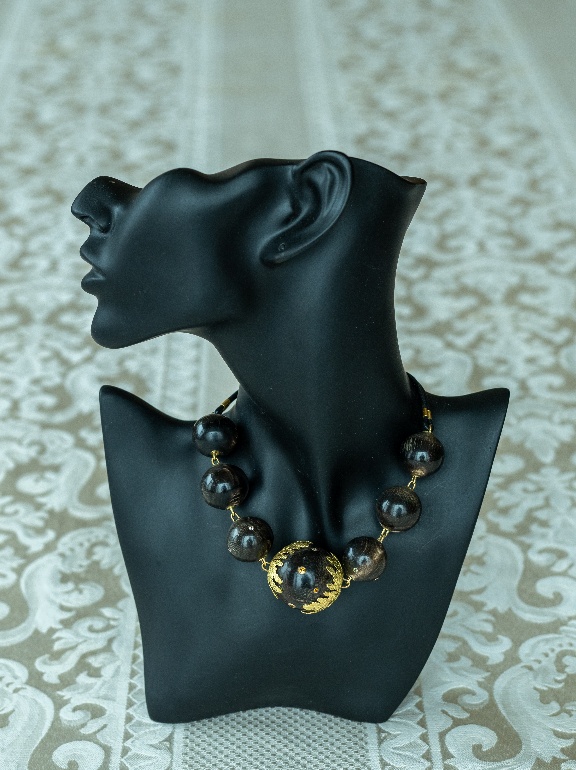
Yup, that background is more interesting, but it is maybe a little too much. Plus, I am not pleased with the way the angle of the shot I needed to get only those converging lines also foreshortened the mannequin.
So, I dropped the camera down a little and shot so both the tablecloth and the wall behind it are in the shot, though that shallow depth-of-field blurs it out nicely.
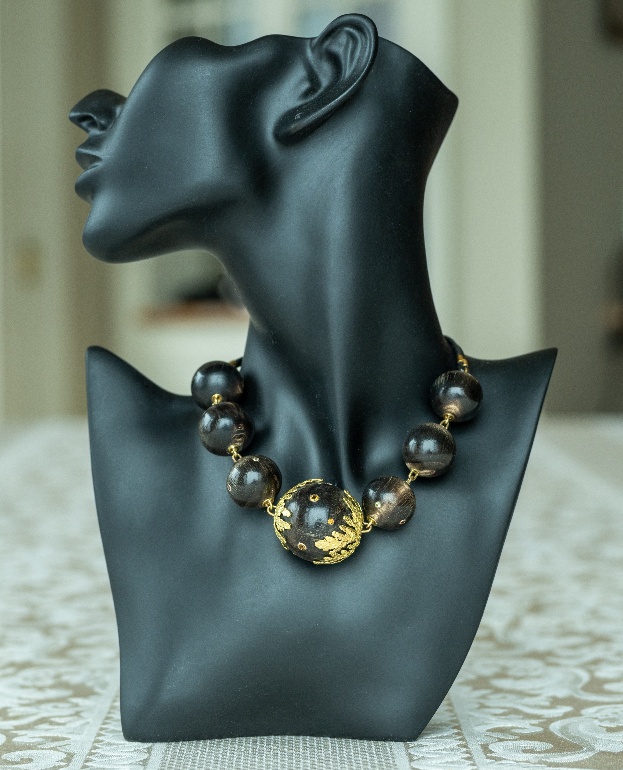
I like that the lower angle makes the mannequin look like it is leaning back slightly, as though showing you the necklace. The surfaces of the mannequin are well lit. I like this shot, but the background of the wall is just a little too distracting.
I wanted to try a different light with a bit more contrast and I wanted a background that did not interfere with the mannequin’s head, I simple turned the thing 90 degrees so the light behind the mannequin is brighter, which should emphasize the head more.
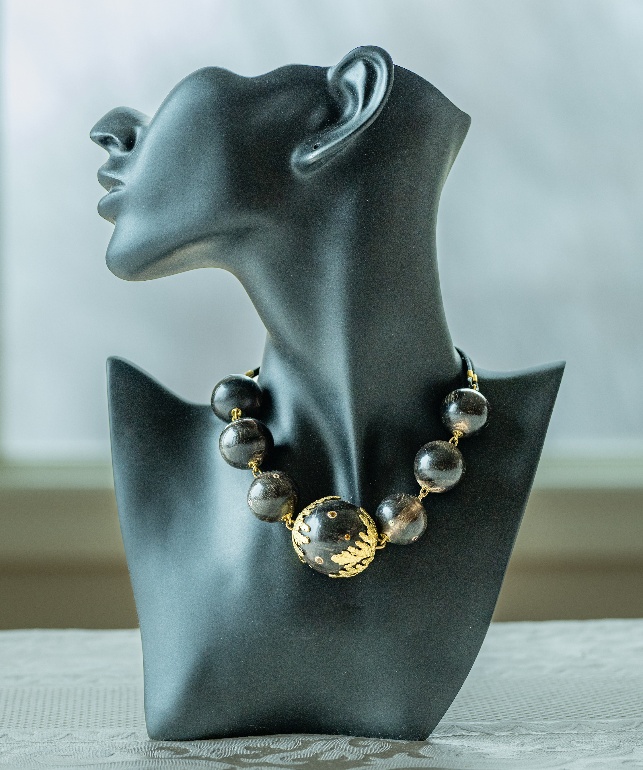
There is now little of the tablecloth showing, but the blurred background is subtler, lower down in the image and all horizontal, which helps to emphasize the mannequin. The light is wonderful and that amazing necklace stands out as it should.
I wish I could say, I planned all this, but I have to admit some of it was serendipitous. Which is my final point – in the digital camera world, there is very little cost to trying several different scenarios when shooting. Try them and see what you get.
Carl Finkbeiner
Mobile: 610-551-3349 website instagram facebook linkedin digitalphotoacademy